 Run 3
Run 3
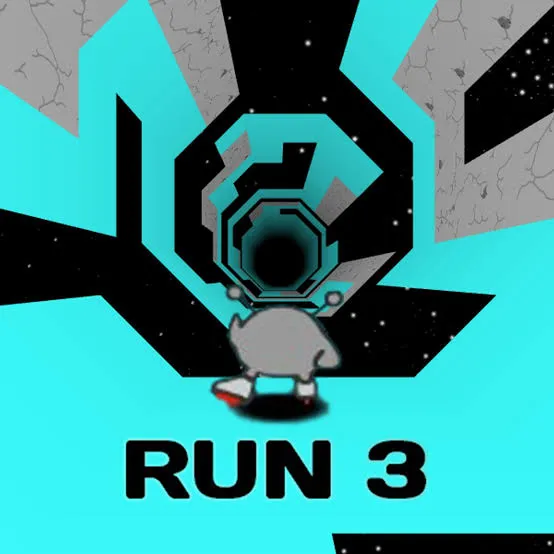
Run 3 Unblocked refers to browser-based versions of the Run 3 game that work on school or office networks where gaming sites are often restricted. Players guide a character through a tunnel of floating space platforms, jumping across gaps and running along walls to avoid falling into the void. It's a sequel in the popular Run series known for its physics-based platforming and endless replayability.
If you've ever tried to open a gaming site during a free period only to be met with a blocked-content message, you already understand the appeal of unblocked games. Run 3 has become one of the most searched titles in this category, and for good reason. It combines simple controls with genuinely tricky level design, making it addictive without requiring installs, downloads, or accounts.
Run 3 is a 3D endless runner developed as part of the Run series, which started with the original Run and its sequel Run 2. Unlike a typical runner where you simply tap to jump over obstacles, Run 3 takes place in a tunnel suspended in space. Platforms float in segments, and many of them have gaps, sharp turns, or missing pieces that force you to think several moves ahead.
The core mechanic is movement through a curved tunnel that wraps around your character. As you run, the camera and gravity shift with the tunnel's curvature, so you're not just jumping forward but also navigating left, right, and sometimes what feels like "up" relative to your starting position. This spatial twist is what separates Run 3 from flatter runner games and gives it lasting appeal.
Players can typically choose between several characters, each with slightly different abilities, such as different jump heights or the capacity to use gravity differently on tilted surfaces. Progression usually unlocks new tunnel sections, called levels, which get progressively more complex as gaps widen and platform patterns become less predictable.
Many schools and workplaces restrict access to gaming websites through network filters. These filters typically block domains categorized as "games" or "entertainment," which affects official game portals and anything hosted on common gaming platforms.
"Unblocked" versions are simply copies of the game hosted on websites that haven't been flagged by these filtering systems, or embedded in ways that slip past basic URL blocking. Because the underlying game files are often the same, the gameplay experience is generally identical to playing it anywhere else — the difference lies purely in where and how the game is hosted.
It's worth noting that network restrictions exist for a reason, whether that's maintaining focus during school hours or managing bandwidth on a shared office connection. If you're in a setting with internet usage policies, it's worth checking whether casual gaming is permitted before looking for workarounds.
Getting started with Run 3 doesn't require much setup. Most versions run directly in a browser without downloads.
Controls are simple:
The objective is straightforward: keep running without falling off the tunnel. Each level ends when you reach a stopping point or complete a set distance, and falling sends you back to the start of that section rather than ending the game entirely in most versions.
Character selection matters more than new players expect. Some characters move faster but have less control over jump distance, while others offer more precise handling at the cost of speed. If you're repeatedly failing a specific jump, switching characters before retrying a level can make a noticeable difference.
Because the game curves around your character, it's easy to misjudge distances early on. Rather than reacting to what's directly in front of you, try to track the platform pattern a few segments ahead. Gaps in Run 3 are often telegraphed by a slight shift in platform alignment just before the missing piece.
Even experienced players hit walls in Run 3, usually around sections with narrow platforms or sharp directional changes. A few approaches tend to help:
Despite being an older title in gaming terms, Run 3 has held up well because its core design, physics-based platforming with a spatial twist, doesn't rely on trends or graphics to stay engaging. The learning curve is gentle enough for casual players but deep enough that completing every level is a genuine challenge.
For students and office workers looking for a quick mental break, Run 3's short, replayable levels make it easy to pick up for five minutes and set down just as easily. That accessibility, paired with its unusual tunnel mechanics, is likely why it remains a frequently searched unblocked game years after its release.
Yes, Run 3 is typically available for free through browser-based gaming platforms.
It generally falls under broad gaming or entertainment restrictions enforced by network filtering software, rather than being blocked for any specific reason unique to the game.
Not always. Many of these sites include heavy advertising or unofficial versions of games, so it's best to stay cautious with pop-ups and download prompts.
Potentially, yes. Doing so may violate your school or workplace's acceptable use policy and could lead to disciplinary consequences depending on the institution.
Explore Mode features structured, pre-designed levels to complete, while Infinite Mode generates an endless tunnel for players chasing a high score rather than a defined finish.